Configure test case generation
Organization admins can configure the Test Case Verticals that they need when using Jama Connect Advisor to generate test cases.
Organization Admins only
You need organization admin permissions for this task.
To configure test case generation:
From the Jama Connect header, select ADMIN > Organization > Jama Connect Advisor.
Select the Test case generation tab.
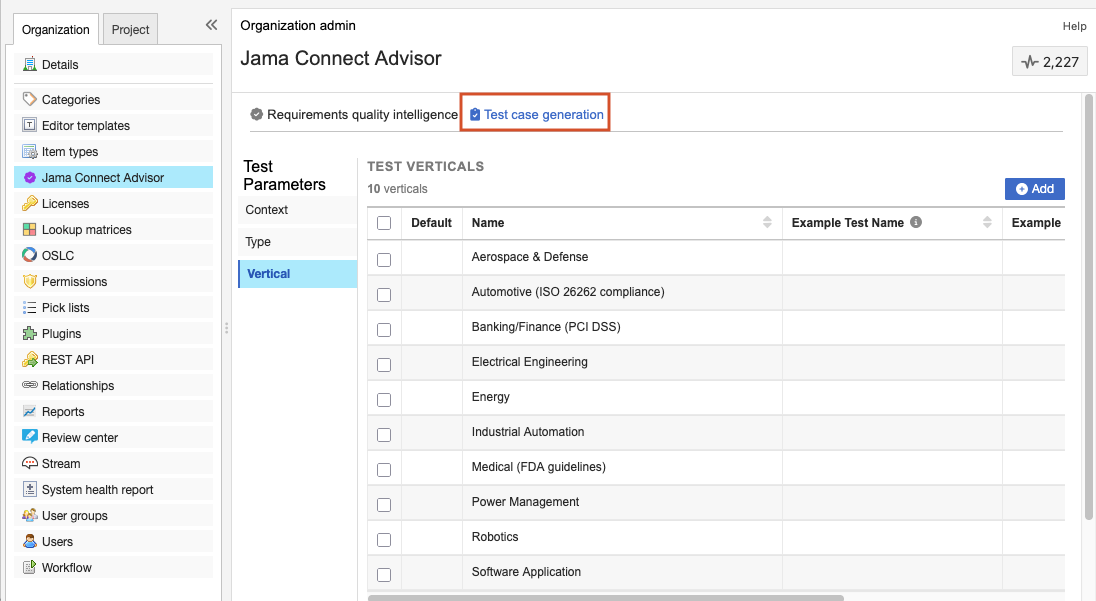
To add a new Vertical:
Select Add.
Enter a unique name (1-50 characters).
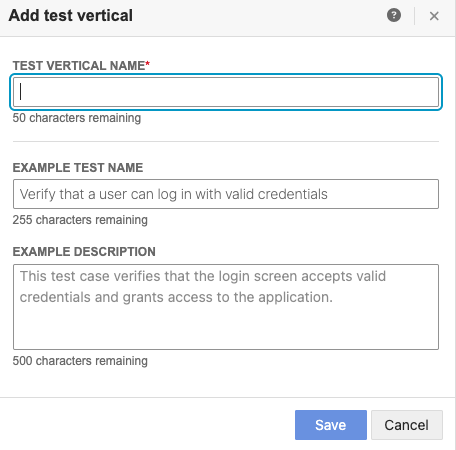
Select Save.
To edit an existing Vertical:
From the table, choose the Vertical you want to modify and select Edit.
Enter a unique name (1-50 characters).
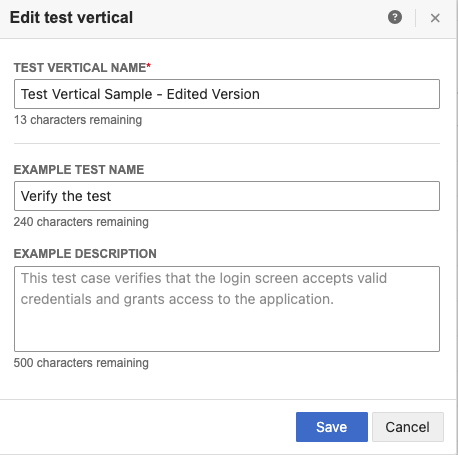
Select Save.
To delete an existing Vertical: From the table, choose the Vertical that you want to remove and select Delete.
Note
Users can't delete the last Vertical.
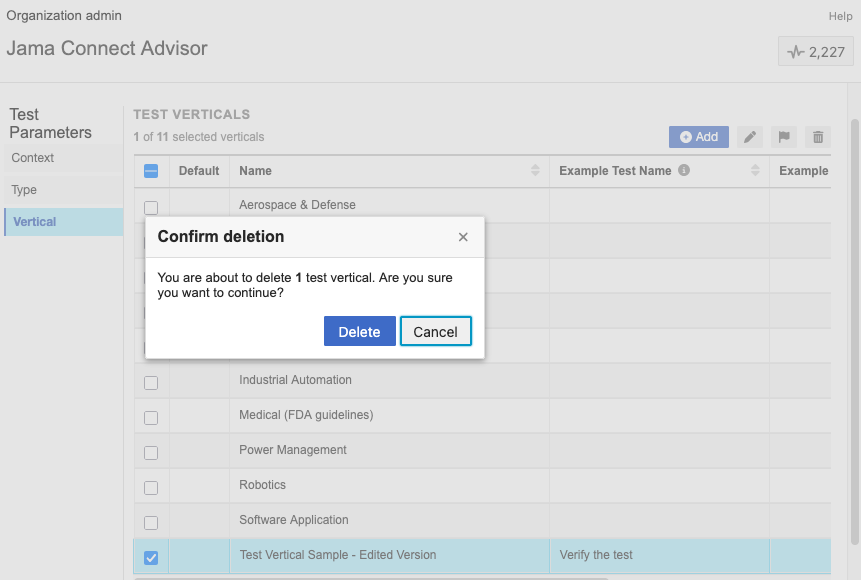
To define a default Vertical: From the table, choose the Vertical that you want and select Default.