Work with the Jama Intelligence Assistant (Beta)
Use the Jama Intelligence Assistant to find information, get product guidance, or propose changes in Jama Connect.
The Jama Intelligence Assistant helps you find information, work with content, and get product guidance using natural language.
You can ask the Jama Intelligence Assistant to:
Find and explain accessible Jama Connect information, including items, projects, categories, releases, filters, baselines, relationships, and Activity Stream entries.
Summarize selected content and review dashboard information.
Analyze or improve individual items and bounded sets of items.
Rewrite content for clarity and consistency.
Identify traceability gaps.
Answer questions about the Jama Connect content in context.
Provide guidance for focused product-development tasks.
Suggest or add supported items, components, sets, folders, baselines, and relationships.
Before making changes, the Jama Intelligence Assistant checks the project structure, permissions, item types, and relationship rules. It presents proposed actions for your review and requires your confirmation before applying them.
Jama Intelligence Assistant works best with a specific item, selection, or clearly defined task. Divide requests that require analysis across a large project into smaller requests.
To work with the Jama Intelligence Assistant:
In Jama Connect, open Jama Intelligence in a supported view.
Note
The Assistant is currently unavailable in these areas of the application: Home, Stream, Reviews, and Admin.
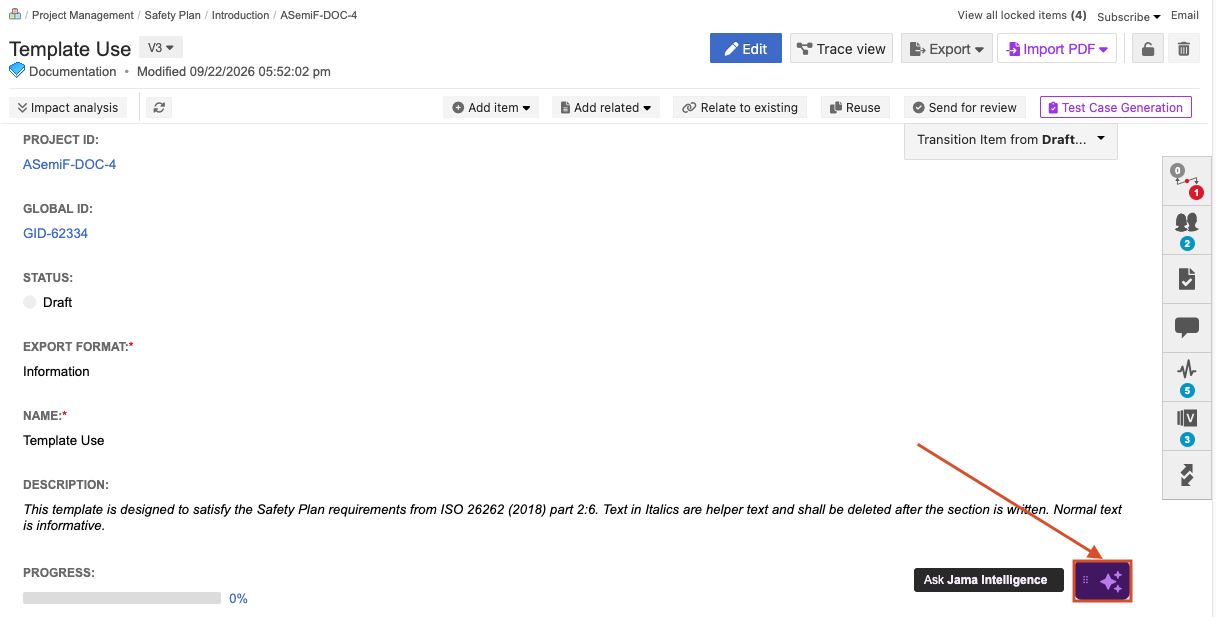
Enter a specific request in natural language. Include an item, selection, or clearly defined task when possible.
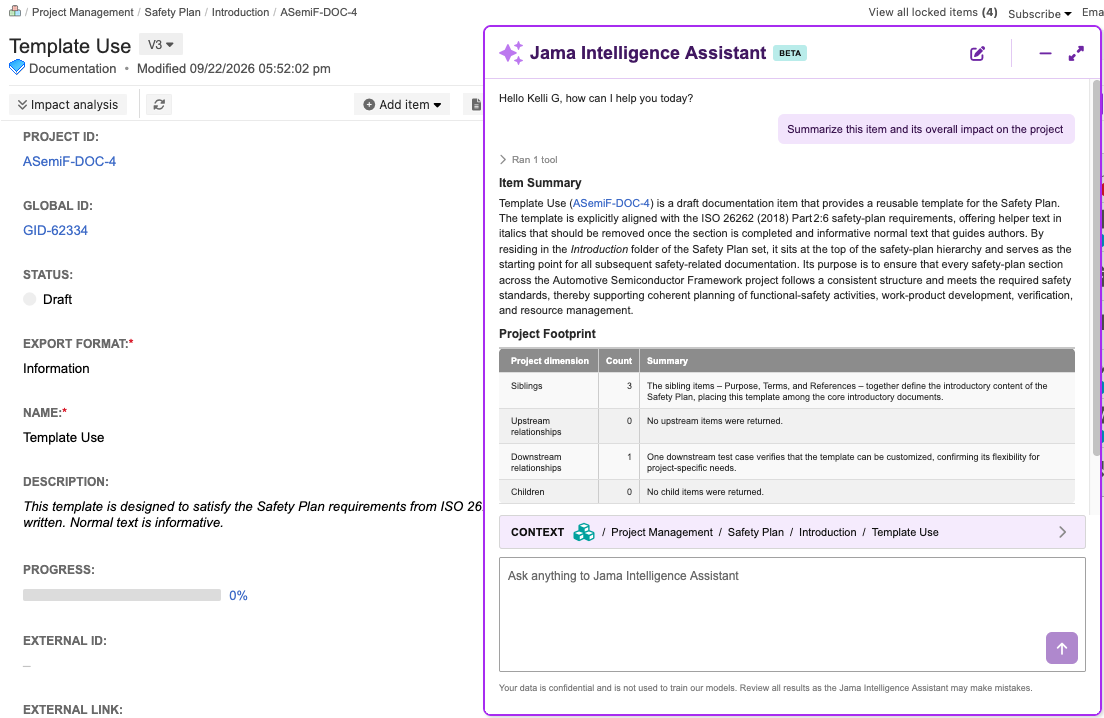
Review the response or proposed action, entering additional requests as needed.
If the Jama Intelligence Assistant proposes a change, review the proposed action and confirm it, then select Send.
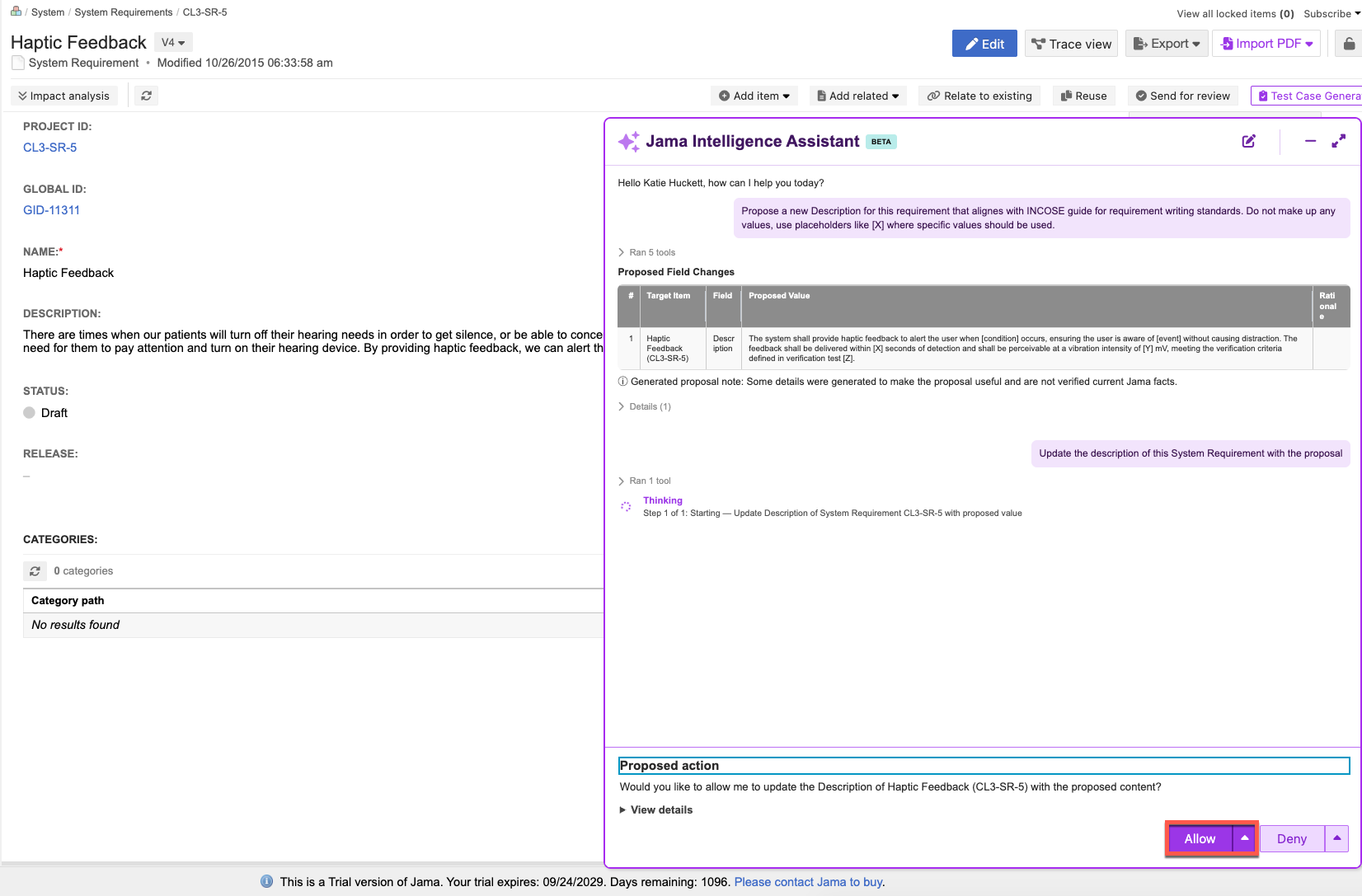
Review the resulting content or change.
The Jama Intelligence Assistant checks permissions, project structure, item types, and relationship rules before proposing supported changes. Review all responses and proposed actions because they can be incomplete or inaccurate.