Analyze a requirements statement (Single Item View)
When Jama Intelligence is enabled and configured by an organization admin, you can use it to analyze the quality of the text of a requirement text against industry-standard rules.
Important considerations
Jama Intelligence behavior aligns with the fundamental INCOSE approach that requirements are authored using a single sentence structure.
Jama Intelligence only analyzes the first sentence of a requirements statement.
To run analysis on a requirements statement in Single Item View:
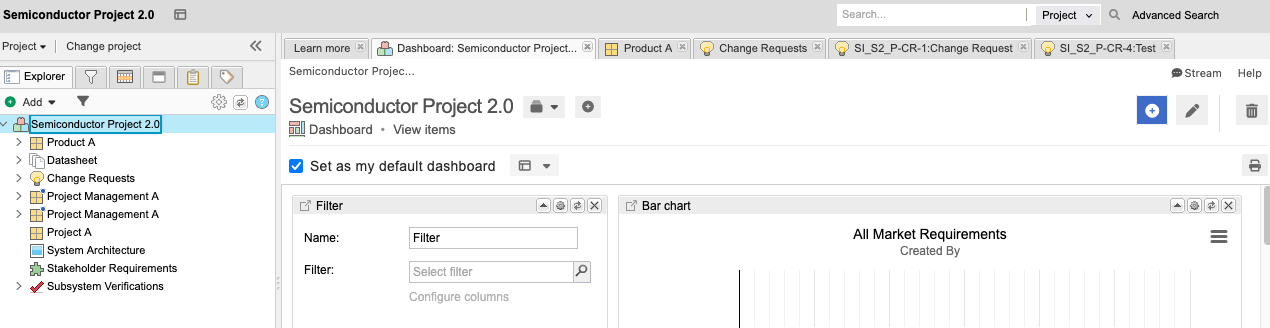
From the Jama Connect header, select PROJECTS > Project.
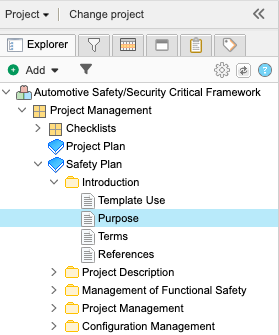
In the Explorer Tree, select a component or folder, select the requirement you want to analyze, then select Edit.
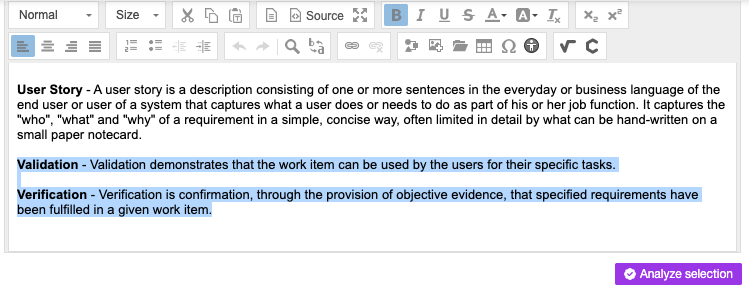
Highlight the text (up to 400 characters), then select Analyze selection.
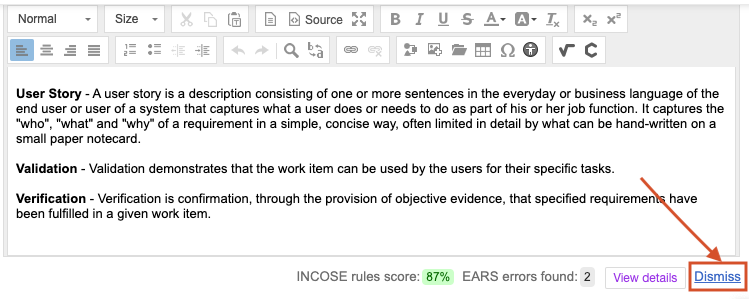
The initial assessment includes a quality rating and a quick analysis summary.

Select View details, read the analysis report, then select Cancel.
Implement the recommended changes:
Select Dismiss.
Edit the text, following the recommendations.
Rerun it on the same text, then read the results.
Select Save & done.
The screen is refreshed, and your changes are saved.